

Customer Story · Primrose of Yorktown
How Primrose of Yorktown Found Hidden Openings
By moving enrollment planning from a manual spreadsheet into CareDay, director Veva Carter uncovered scheduling errors, found room for families, and gained a clearer view of when to open classrooms and hire teachers.
Customer Profile
A New School. A Growing Enrollment List. A Clearer Plan.
Primrose of Yorktown opened in February 2026. Before opening day, director Veva Carter needed a dependable way to organize incoming families and future classroom moves. Recommendations from other Primrose directors led the school to CareDay while its enrollment list was still manageable.
- Organization
- Primrose of Yorktown
- Leadership
- Veva Carter, Director · Amber Lempke, Owner
- Primary focus
- Scheduling, waitlist, classroom transitions & FTE reporting
The Challenge
A Spreadsheet Made Some Rooms Look Full and Hid Scheduling Conflicts
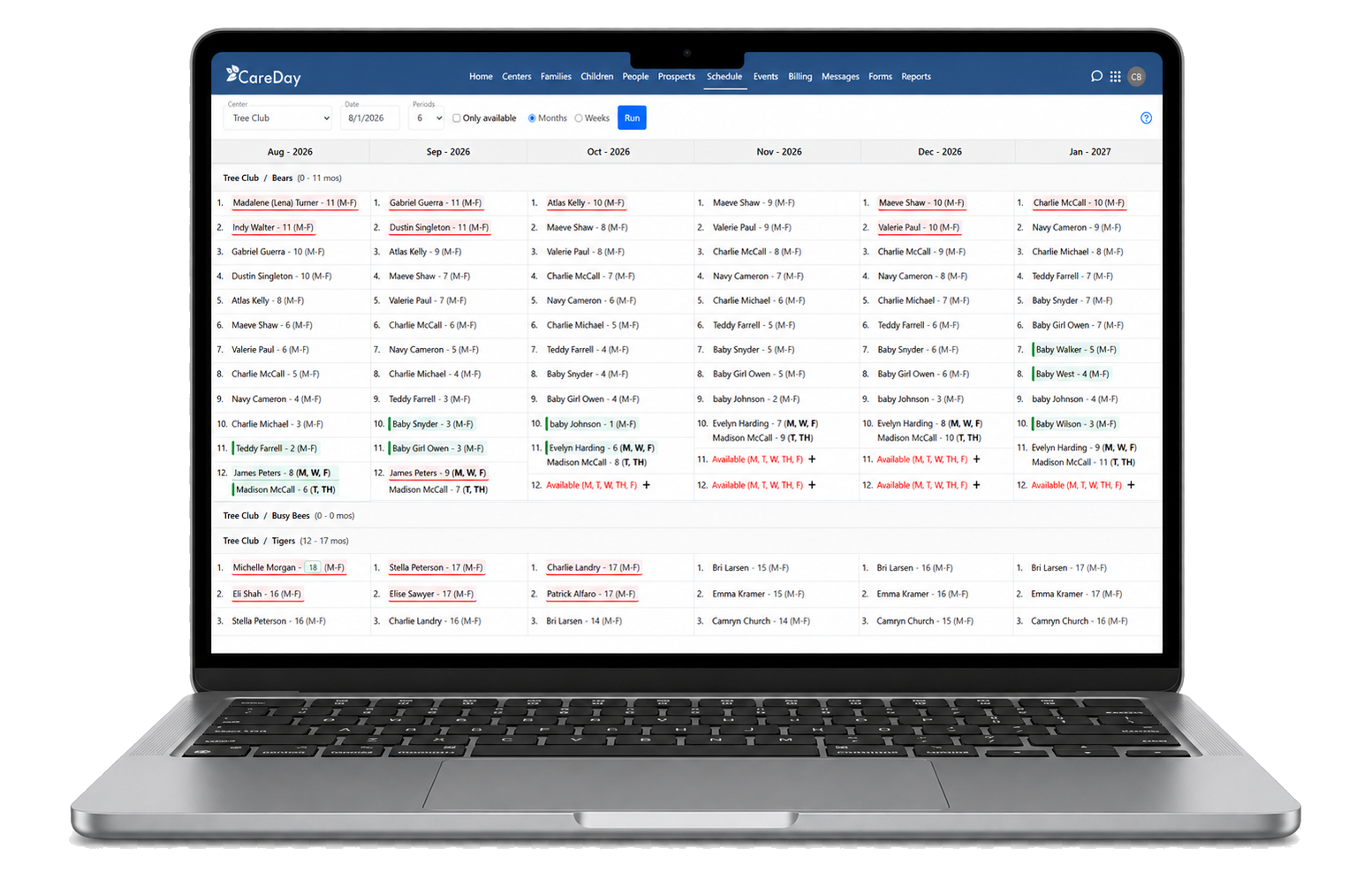
The school initially planned enrollment in a manually maintained Excel sheet. When the team entered its children into CareDay, it found both overbooking and spaces it had not realized were available. Birthdays and the timing of classroom moves could change whether a family would fit.
The CareDay Solution
Plan Each Child’s Next Move and See the Openings It Creates
CareDay gives Veva a week-by-week view of children’s schedules and future classroom transitions. She reviews enrollment as far as 15 months ahead, uses Roll Call for upcoming moves, and checks the full-time equivalent (FTE) report at least weekly.
Resolve schedule conflicts
Review children week by week and adjust age-appropriate classroom moves to find a workable plan.
Find the family who fits
Check a child’s birthday and planned schedule against availability in rooms that initially looked full.
Keep transitions organized
Use Roll Call to prepare for the next week’s classroom moves and related administrative updates.
Plan the next stage of growth
Use enrollment and FTE reports to inform referral incentives, teacher hiring, and the timing of new classroom openings.
The Results
More Visible Openings. Fewer Surprises. Better Informed Decisions.
Veva describes CareDay as a daily reference for family calls, tours, job postings, and deciding when another room makes financial sense. Seeing the timing of future enrollment helps the team direct referral incentives toward the age groups with available space.
Finding the openings and finding the errors.
Veva Carter
Director, Primrose of Yorktown
A Focused CareDay Demo
Find the Openings Your Enrollment Spreadsheet May Be Missing
Opening a new school or growing an established program? See how CareDay schedules each child’s journey through future rooms and programs so your team can spot available space and plan the next step.
BOOK YOUR 30-MINUTE DEMO