

Childcare Franchise Management Software
Set Standards. Track Performance. Grow Your Childcare Franchise.
Give franchise leadership a clear view of performance and local teams a consistent starting point. CareDay connects children’s schedules, utilization targets, and shared operating standards across your network.
Compare franchisees against utilization targets
Set ramp-up goals for newly opening centers
Publish standards and templates to selected franchisees
Plan your next franchise opening
A Clearer View of When—and Where—to Grow
Bring future enrollment, projected revenue and royalties, and family ZIP-code patterns into your expansion planning. CareDay helps franchisors see how existing locations are positioned before deciding where to focus the next growth conversation.
See future capacity
CareDay schedules children through future rooms and programs. Compare upcoming enrollment and available capacity across locations to understand where space is filling and where openings remain.
Look ahead at revenue and royalties
Review projected revenue and the royalties it is expected to generate from entered schedules. Use that forward view to inform expansion timing and financial planning.
See where your families come from
View family counts by ZIP code alongside center locations. Identify geographic concentrations in your existing family base and areas worth exploring further.
Give the next location a head start
Publish supported franchisor standards to local teams and set utilization ramp-up targets for a newly opening center.
ZIP-code views describe existing families, not total market demand. Revenue and royalty projections reflect entered schedules and should be considered alongside local market research and opening costs.
SEE YOUR FRANCHISE GROWTH WORKFLOW
CareDay is a must-have!
CareDay has transformed the way we manage our childcare business. From simplifying the enrollment processes to automating billing based on the child's schedule and providing exceptional customer service, this software has truly exceeded our expectations
Shannon T.
Chief of Center Operations for 21 Child Care Franchises
Your Brand, Every Location
Give Every Franchisee a Consistent, Branded Family Experience
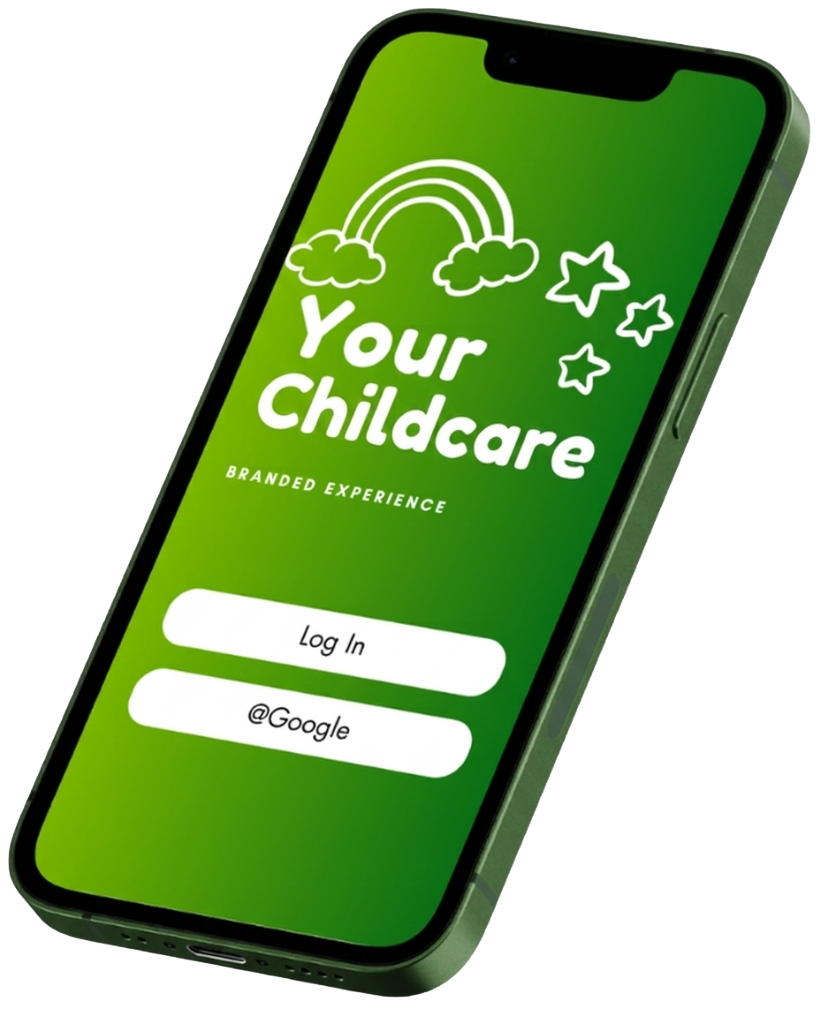
Extend your brand into the parent experience with a mobile app that reflects your organization. Families use one familiar destination for communication, schedules, billing, and care updates while each franchise location operates within the same network standards.
- Consistent branding across locations
- One familiar family experience across app and web
- Central standards with a familiar experience for local teams
Targets, visibility, and follow-through
Know Which Franchisees Need Your Attention
Set utilization targets and compare each franchisee’s scheduled enrollment against them. Give established centers a normal target and new locations a gradual ramp-up plan.
Set clear targets
Use organization defaults, center-specific overrides, and ramp-up targets for newly opening locations.
Spot gaps sooner
Review utilization, 28-day changes, available capacity, and signals that a location needs attention.
See scheduled commitments
Look 30, 60, and 90 days ahead using children’s entered schedules—not predictions of future sales.
Turn insight into action
Keep action plans, findings, and site visits connected to franchisee oversight so follow-up has a clear place.
Utilization compares regular scheduled full-time equivalents with recorded room capacity. Review signals help prioritize follow-up; they are not quality ratings.
Your standards, a consistent starting point
Set Up Standards Once. Share Them Across Franchisees.
Reduce repeated setup as your network grows. Define supported standards centrally and publish them to selected franchisees, giving local teams a consistent foundation.
- Shared reference lists: publish certification, allergy, diet, and medication standards.
- Consistent notification templates: share saved templates and publish updated versions to selected franchisees.
- Clear version status: see which recipients are up to date and which have an update available.
- A head start for new organizations: active franchisor-standard transaction types copy into newly created franchisees.
Publish updates when you are ready. Franchisees you do not select keep their current version. Location-specific configuration and launch checks still complete the setup.
Explore CareDay’s communication tools and schedule-based billing.
A common educational foundation
Build Your Curriculum Once. Share It Across Your Franchise.
Give franchisees a shared curriculum they can use across their locations. Create a common educational foundation and reduce the need for each organization to recreate curriculum on its own.
Create centrally
Build your curriculum in CareDay so franchisees have a shared starting point for their educational program.
Share across organizations
Make the curriculum available to selected franchisee organizations and see which organizations it is shared with.
Support a consistent experience
Help local teams work from a common curriculum as your franchise network grows.
In your franchise demo, see how a curriculum is created and shared, then connect that workflow to your operating standards and growth plans.
SEE SHARED CURRICULUM IN YOUR DEMOA FOCUSED FRANCHISE DEMO
See How CareDay Can Support Your Franchise’s Next Stage of Growth
See shared curriculum, operating standards, and performance targets alongside projected revenue, royalties, and family ZIP-code patterns. Bring your location count, curriculum priorities, and expansion plans for a walkthrough focused on your franchise network.
BOOK YOUR FRANCHISE GROWTH DEMO